
Moving heavy and expensive IT equipment is essential in data centers. AI servers are very heavy, and high rack density can require tight maneuvers in narrow spaces. There is a significant risk of injury, damage, and liability.
If you have a major move (or a steady series of installations) planned, here is a step-by-step workflow for a data center team to safely and efficiently move heavy IT equipment.
1. Pre-plan your move.
To start, measure the IT equipment you’ll be moving and record its dimensions and total weight. Note any lift points or manufacturer instructions, including restrictions on tilting or jostling during transit.
Next, decide on your handling method. How will you unpack the equipment from its box or pallet? What lifting device will you use? How will you secure the equipment on the lifting platform to ensure nothing slides or falls? Iron out these details before anyone touches any hardware.
Once you’ve recorded the details, assign specific roles to your staff. Someone should be responsible for loading, spotting, issuing commands, clearing obstacles, unloading, installing, and any other tasks in the lineup. Ensure these people understand the scope of their roles and the sequence in which tasks should be completed.
2. Clear your route.
Measure the height and width of any aisles, doorways, elevators, ramps, or other locations you’ll pass through on the way from the loading area to the destination. Point out areas that could be problematic, such as low doorways or elevators with a low weight limit.
Identify floor seams, wire runs, flexible or brittle floor tiles, slick surfaces, transition plates, or bumps that could cause problems during the move. If any of these obstacles can be moved or avoided, do so now. It can be helpful to place durable mats or plates to ease wheeling over bumps that could be sticking points.
3. Prep the destination.
It would be a shame to do all that work and get your new equipment to the rack only to realize it doesn’t fit. That’s why it’s crucial to measure and clear the destination before loading the equipment onto the lift. You don’t want to have to move racks or clear clutter while expensive, very heavy IT equipment sits on a raised platform nearby.
Don’t forget to ensure any cabinet doors can swing freely, the rails can fully extend, and you have full access to all important spaces, including a place to stand during installation.
Keep fasteners, rail parts, and tools in an easy-to-reach location near the rack so they are on hand when needed. The goal is to keep the equipment on the lift for as little time as possible; anticipate these needs in advance.
Power and network connections should also be ready before you move the equipment to its new location. Cables should be in place and ready to connect during installation, so you don’t have to park the load while you resolve these issues.
4. De-energize and prepare the equipment.
Your data center probably has shutdown, lockout/tagout, or change-control policies in place. Review these protocols with your staff to make sure everyone is aware when electric components are safe to touch.
Once you’ve safely cut the power, remove or secure all loose parts. It’s always a good idea to use zipper bags to store caps, connectors, screws, and other small items. Don’t forget to lock any drawers, trays, or rails that may slide open during transportation.
As you work, ensure you follow guidelines for the safe discharge of static electricity.
5. Use purpose-built data center lifts.
To keep workers safe and minimize accident risk and liability, your data center should use lifting solutions designed specifically for moving heavy, expensive IT equipment. Warehouse lifts and other general-purpose carts lack the load ratings, fine-tuned control, and safety features necessary to ensure every move goes off without a hitch.
EN purpose-built data center lift should have:
- A high enough load rating to handle the IT equipment you’ll be moving
- Safety straps to secure IT equipment firmly in place
- Controlled vertical lifting with a stable platform that supports servers on all edges
- Stability features that prevent tipping with top-heavy loads
- Strong brakes that can be locked and unlocked conveniently
- Wheels large enough to travel over cables, ramps, and other floor obstructions
- The ability to add attachments, such as wider shelves to support larger equipment or roller tables that reduce friction and make installations as easy as gliding the cargo into place
- Optional extensions that make unpacking servers from boxes and lifting heavy loads from the floor safer for workers
6. Execute the move according to your plan.
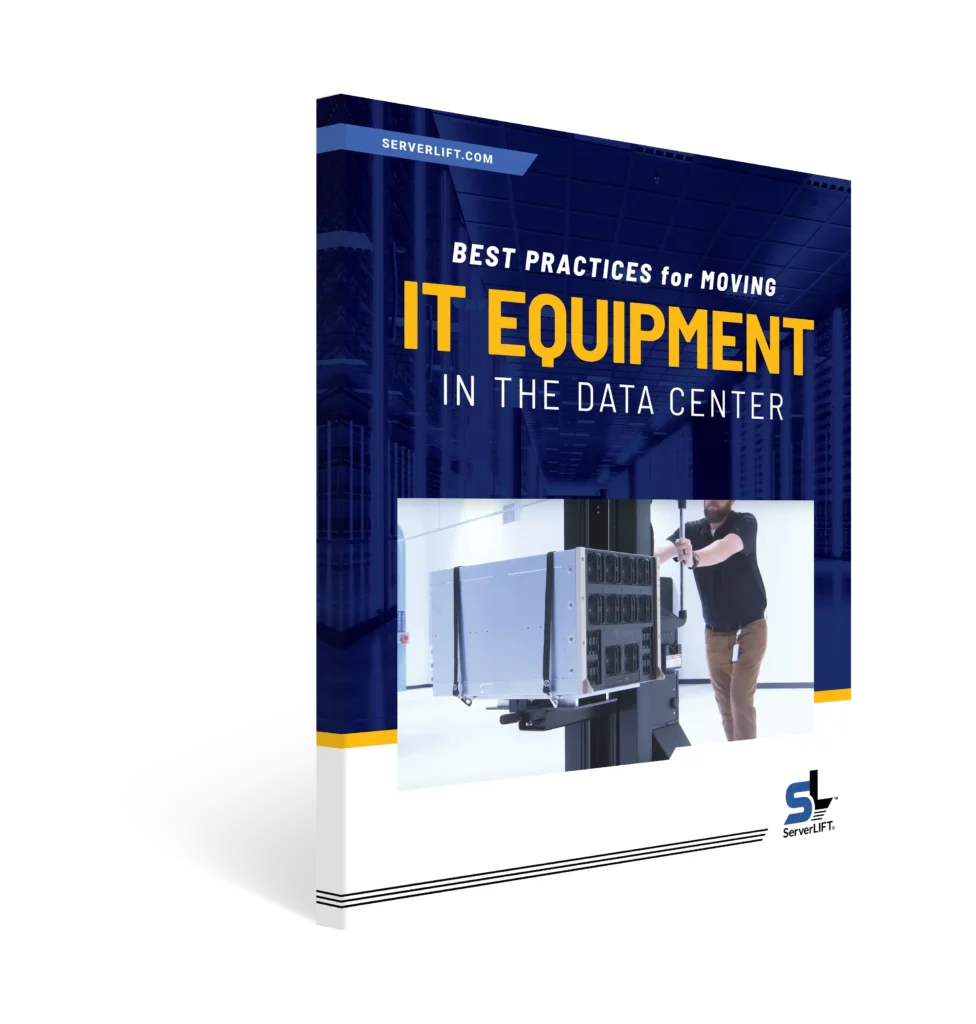
Before you load anything onto the lift, make sure the brakes are locked. Slide your cargo onto the lifting platform and secure it with safety straps to prevent sliding or shifting during transport.
As you proceed with the fully loaded lift through hallways, elevators, and other spaces, move at a normal walking pace. Don’t rush, even if the job is time-sensitive. You’ll spend a lot more time cleaning up an accident if you rush than you would simply taking your time and doing the job carefully. Remember to have a spotter calling out obstacles and potential tricky spots. You may need to stop if you lose your sightline, or ask your spotter to stand elsewhere for a better view.
Once you arrive at your destination, lock the brakes again and double-check to make sure the lift won’t move accidentally during unloading.
7. Finish up the installation.
You’re at your destination, you’re parked, and the wheels are securely locked. Now it’s time to reverse the safe loading process.
Raise the lift platform to the required rack height, then use the fine-tune adjustment features to achieve precise alignment. When everything is in place, perform one final double-check to ensure fasteners, rail locks, and any anti-tip protocols are working properly.
If all is well, slide the equipment forward into the rack space. If the load is particularly heavy, a glide platform or a roller table will make the installation much easier. With the IT equipment in place, tighten the screws and connect the cables to complete the installation.
Before you put the lift back in storage, power on the newly installed system and verify everything is working properly. That way, if something isn’t turning on properly, you still have a convenient means of moving things around to check cable connections and power supplies.
Once you’re up and running, give yourself and your staff a pat on the back. The move is complete, and no one was injured.
Key Principles That Keep Workers Safe and Hardware Intact
In general, always do IT equipment moves as controlled, planned lifts. You’re not “just being careful,” you’re mapping out who does what, which pieces go where, and how you’ll deal with certain scenarios. That’s because most incidents result from poor planning. You can avoid common pitfalls (unstable loads, pinched fingers, tipping, floor obstacles, rushed installations, back injuries, etc.) by knowing the details of your move ahead of time and taking a few minutes to prepare.
As you build your plan, aim to:
- Eliminate manual lifting. If you’re trying to “muscle through” any part of the process with two or more people, the risk for injuries or dropped equipment is sky-high.
- Keep the load supported at all times. Avoid hanging, tilting, or resting IT equipment on the edge of the lifting platform.
- Control the center of gravity. When you navigate obstacles, extend rails, or reach deep into a rack, beware of your equipment tipping or sliding. Keep the lifting platform low while in transit!
- Reduce the distance and complexity of your move. Keep your route short, and clear any debris or movable obstructions before you begin. Make sure your destination is staged and ready to receive the equipment — and don’t forget to anticipate the room needed to maneuver the lift during the installation.
- Go slowly. You may be feeling the pressure to get the job done quickly, but it’s always preferable to move slowly rather than risk an accident from hurrying.
Here’s a checklist for safely moving IT equipment.
- Confirm equipment weight and dimensions
- Measure and clear your route
- Protect or move floor obstacles
- Stage the destination
- Use a proper lifting device rated for the load
- Check the brake function on your lift
- Assign a spotter and review communications policies
- Remind employees to keep their hands, feet, and clothing clear of pinch/entrapment zones
- Don’t rush, and don’t improvise. STOP and revisit the plan as needed.
Need a purpose-built data center lift rated for the job?
Almost everything else can be managed with proper planning, but there’s no replacement for a dedicated data center lift when you need to keep employees and expensive IT equipment safe.
ServerLIFT® offers a variety of datasenterheiser og vedlegg for any situation you may encounter. Check out our product pages or kontakt oss. We’re always happy to help you find the best solution for your needs!